Building Planet Zero Drive: An Endless Browser Driving Game
October 15, 2026
Development, Case Study
The terrain, rover, weather, and multiplayer in Planet Zero Drive—and the engineering challenges behind making them work together.
I built Planet Zero Drive around a simple idea: get in a car, pick a direction, and keep driving. You can climb hills, launch off ridges, save places you want to revisit, or join friends for a drive.
It runs smoothly in the browser, including on phones. The world keeps generating as you travel, making it effectively endless. In potential explorable area, that takes it beyond a fixed open-world map such as GTA VI’s.
The app uses Three.js for rendering, Svelte for the interface, and TypeScript for the game systems. Most of the work came down to a few parts: the terrain, the rover, the weather, and the connection between players.
Play Planet Zero Drive · View the source
The terrain
The landscape has hills, valleys, mountain ridges, and changing biome colours. A one-metre grid follows the ground, making slopes and distances easier to read from behind the car. The terrain extends three kilometres around the player, with more detail nearby and less at the horizon.
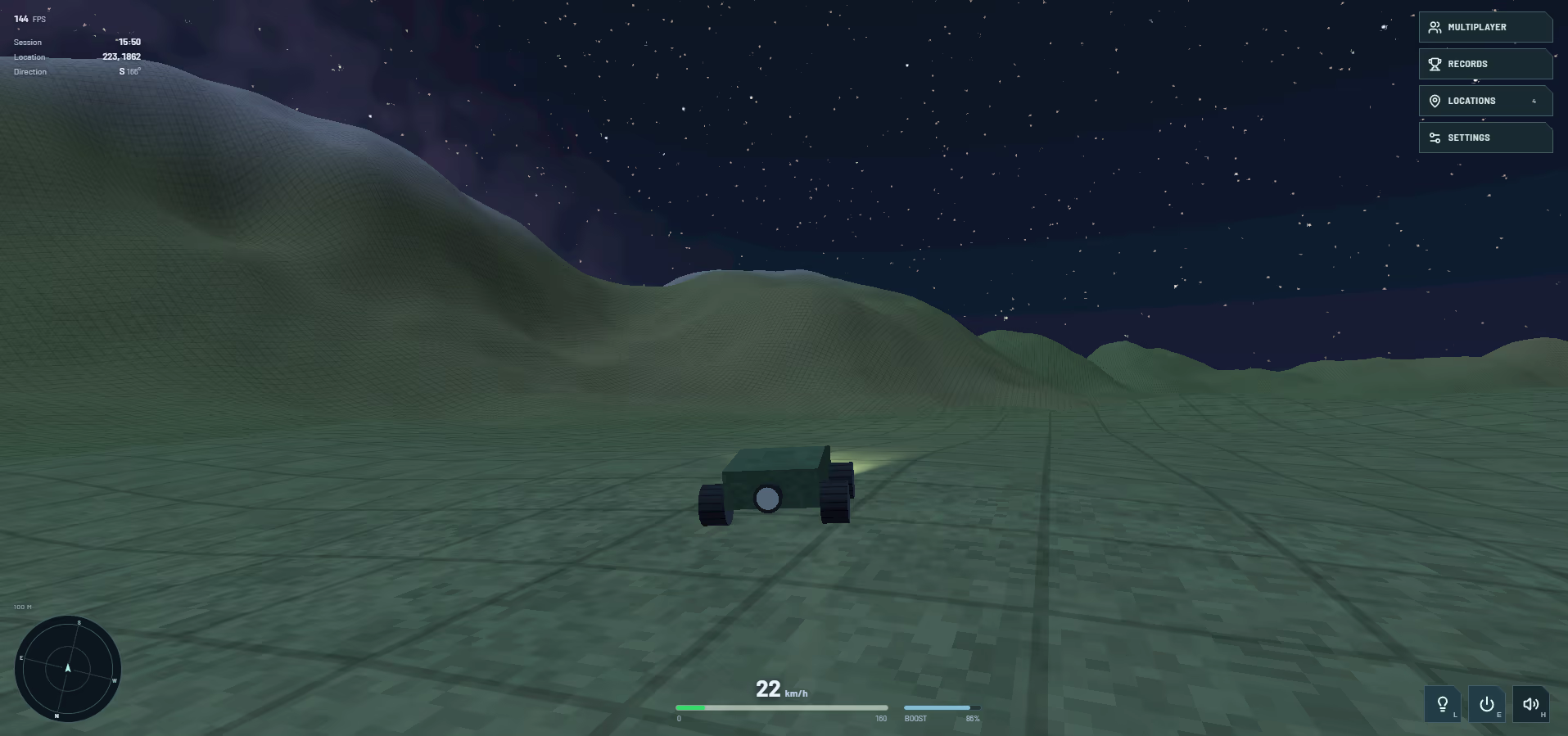
The grid follows the landscape while terrain detail decreases with distance.
The first engineering challenge was keeping new ground from interrupting the drive. Generating thousands of equally detailed chunks meant too much geometry, too many scene objects, and bursts of work as the player moved.
I changed the layout to subdivide terrain according to distance. It starts with 512-metre regions and divides nearby ground into tiles as small as 32 metres. Each mesh has 32 cells per side, giving one-metre sample spacing near the car and up to sixteen metres farther away.
Web Workers build the meshes in the background. A bounded queue attaches up to two completed meshes per frame, with a one-millisecond CPU budget checked between attachments. Old terrain stays visible until its replacement is ready, preventing holes during detail changes.
The terrain benchmark shows the difference. At position (8, 8), for the three-kilometre radius plus a 64-metre streaming buffer:
| Terrain workload | Uniform baseline | Adaptive layout |
|---|---|---|
| Meshes | 7,380 | 320 |
| Triangles | 60,456,960 | 737,280 |
| Height samples | 31,180,500 | 348,480 |
The uniform baseline is reconstructed by the benchmark. The adaptive layout includes edge skirts and uses 98.8% fewer triangles and 98.9% fewer height samples, before camera culling. These counts measure the terrain workload; frame rate is tested separately.
Long-distance travel brought a different problem: precision. The game keeps absolute coordinates for terrain generation and navigation, but renders objects relative to a nearby origin. Moving that origin every 256 metres keeps rendering coordinates small. The grid and ground detail preserve their world alignment through the same shifts, including after teleports to very large coordinates.
The grid itself is drawn in the terrain shader. This keeps its spacing independent of mesh resolution and avoids adding line geometry to every chunk. Distant lines fade as they become too small to display clearly.
The rover
The car is a rectangular body with four cylindrical wheels. I kept the model simple and concentrated on how it moves: the front wheels steer, the suspension follows uneven ground, the body pitches and leans, and a rear booster gives short bursts of speed.
Headlights, tyre marks, engine sound, and a chase camera help communicate what the car is doing. You can drag to look around it, then release to return smoothly to the driving view.
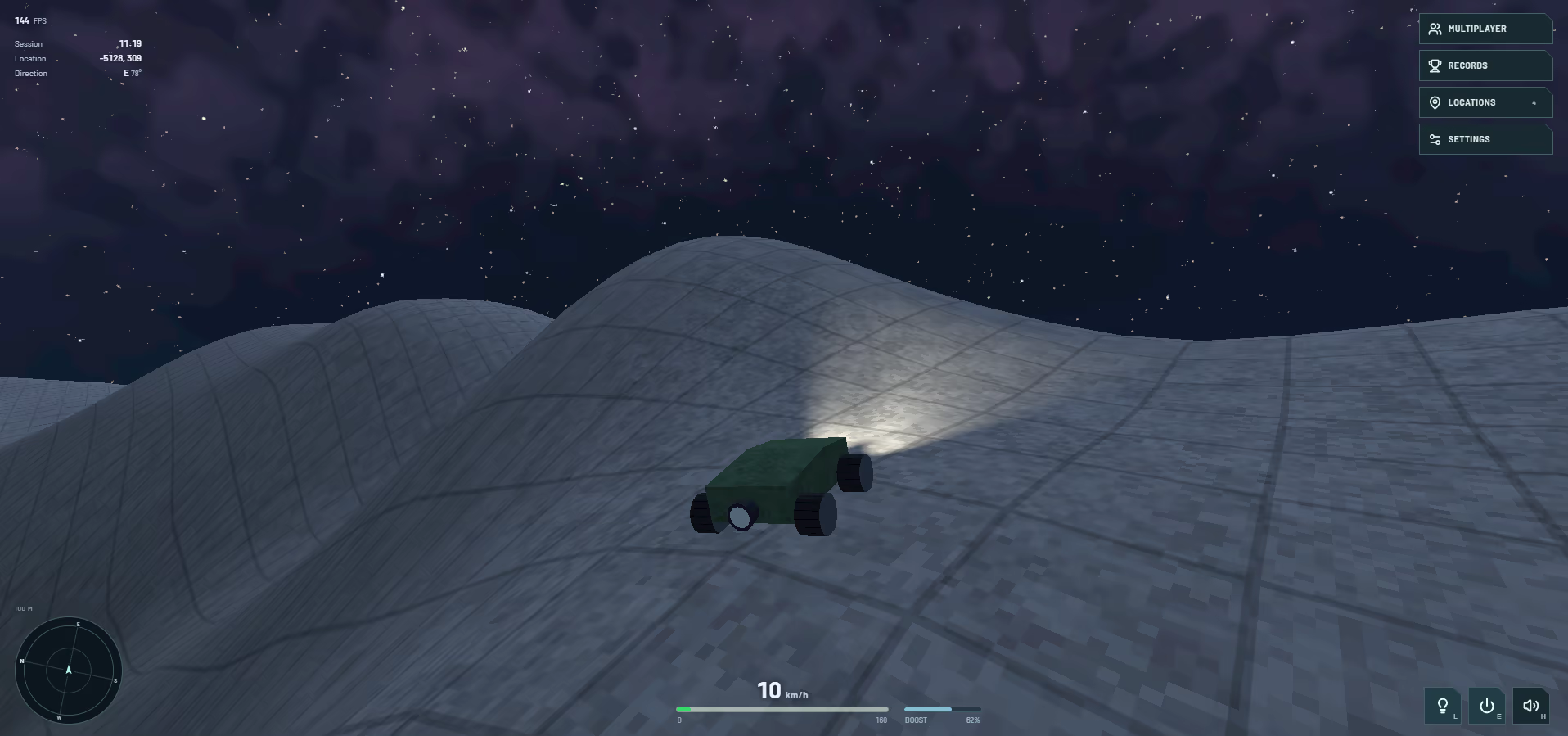
The rover, chase camera, and driving controls.
The difficult part was making the suspension absorb movement without making the car feel stuck to the ground. Landings could turn into repeated hops, diagonal slopes could make the wheels jitter, and a car at its climbing limit could oscillate between moving forward and rolling back.
The vehicle simulation samples terrain beneath each wheel and calculates spring, damper, tyre, and braking forces. I adjusted the contact geometry and rebound damping, then added touchdown damping to absorb a landing while preserving normal gravity during flight.
Physics advances in fixed steps of 1/240 second. Rendering interpolates between those steps, so a changing display frame rate does not change the timestep used by the suspension. Tests cover holding on slopes, rolling back on steep hills, landing with one wheel first, and driving at different render rates.
Weather and sound
The world moves between clear skies, rain, thunderstorms, and snow. Cloud cover, fog, lighting, and terrain colour change with the conditions. Lightning can be followed by thunder after a distance-based delay.
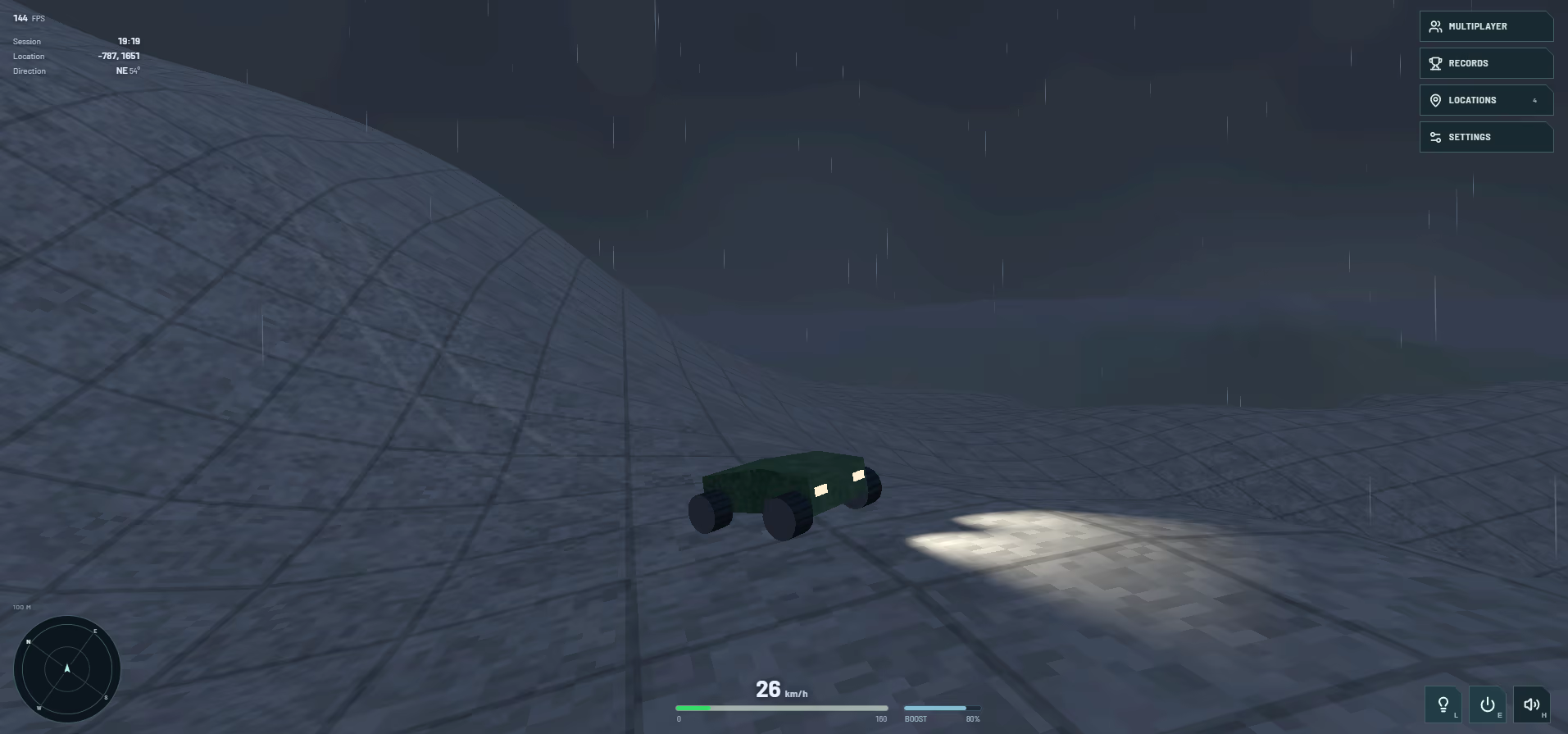
Rain and fog change visibility, while headlights illuminate the nearby ground.
There were two problems to solve: keeping weather inexpensive to draw and making it agree between players.
Rain and snow use fixed instanced particle fields around the camera, with movement calculated on the GPU. This avoids updating thousands of individual particles on the CPU. Clouds reuse procedural sky noise, while the existing lights and fog change with the weather.
For automatic weather, the conditions are calculated from the world seed, position, and UTC time. Players at the same place and time get matching conditions, assuming their device clocks are aligned. A late join or resumed tab samples the current weather directly, without replaying a local cycle or receiving weather packets.
Sound is synthesized too. The engine responds to driving state, boost has its own sound, and landings produce an impact. Thunder uses varied layers and timing to avoid repeating the same clap. Nearby vehicles fade with distance and are positioned relative to the camera.
Driving with other people
Players can join a named room and see each other driving through the landscape. Remote cars use the same model as the local car, including steering, boost, headlights, brake lights, and horns. Each browser generates the terrain locally, so the network only needs to carry vehicle state.
The first version sent that state through a WebSocket relay. It worked, but the actual connection was slow enough to make remote movement lag behind.
I measured two clients on the same computer exchanging 40 messages through the relay. Median round-trip time was 574 milliseconds. Smoothing the received positions could soften the movement, but it could not remove the delay in that route.
I added direct WebRTC connections, keeping the relay for room discovery and connection signaling. Movement uses an unordered channel without retransmission, so an old position cannot hold up a newer one. Horns, lights, and other control changes use a separate reliable channel. If a direct connection fails, the session falls back to WebSocket.
Moving cars send up to 30 snapshots per second; idle cars send a one-second heartbeat. Sequence numbers reject stale snapshots, and a teleport counter tells receivers when to snap to a new position instead of smoothing across the map.
A later same-computer test, using the real relay for signaling, established direct connections and measured 1.4 milliseconds median round-trip time over 22 samples. These were separate local tests, so internet and fallback connections will vary. The networking report records the setup.
This version lets players share the drive with client-controlled cars. Competitive collisions or trusted leaderboards would require server authority.
Places, records, and controls
An endless landscape still needs a few reasons to explore it. Players can name and save locations, navigate back to them, and use the radar to find nearby drivers and destinations. Personal session records track distance, speed, jumps, airtime, elevation, and stretches driven without braking.
The rules behind those records needed care. Teleports reset the distance-sampling anchor so they do not count as driving. Brief suspension chatter does not count as a jump. Keyboard and touch braking feed the same state, so both reset a no-brake run correctly.
On phones, driving requires several inputs at once. Steering and acceleration can be held together, camera orbit is separate from the buttons, and opening a settings panel hides the driving controls underneath it.
The radar, steering, camera, and spatial audio also have to agree about direction. I documented their coordinate conventions and added checks across forward and reverse driving, touch input, and the four cardinal directions. Location labels stay attached to their projected world positions and disappear when those positions leave the view.
A world to keep exploring
Planet Zero Drive started with the idea of a relaxing drive through a landscape that keeps unfolding. It also gave me a place to experiment: how much world could I generate, how far could I render it, and what would it take to keep driving smooth on a phone?
Answering those questions meant trying different optimization techniques and looking at problems from several angles. Terrain performance involved geometry, worker scheduling, and shaders. Driving feel depended on physics, camera movement, and sound. Multiplayer brought network timing into the same experience. A change in one area often made more sense once I understood what was happening in another.
That mix of graphics, simulation, networking, interaction design, and testing is what made the project interesting to build. It gave me room to explore how those disciplines fit together, with the drive itself as a way to judge whether an approach worked.
You can take it for a drive or look through the source. If it sparks an idea for something you’d like to build, I’d be interested to hear about it.